I feel that the UI for ATC27 isn’t very effective. Everything has to be enclosed in a box, and a bit of transparency is added as if to prevent anything from being blocked—but for the most part, it just serves as a visual distraction.Setting aside aesthetic concerns for a moment, let’s look purely at functionality: taking ATC4’s Aero style as an example, Air Traffic Control 27 features a transparent black background with high-contrast white borders, while ATC4 uses transparent borders with opaque key information. Furthermore, the window colors immediately allow you to distinguish between departing and arriving flights.I saw another UI design on your official website—it might have drawn some inspiration from ATC4’s layout—and personally, I think its aircraft card design is even better than the current demo version.
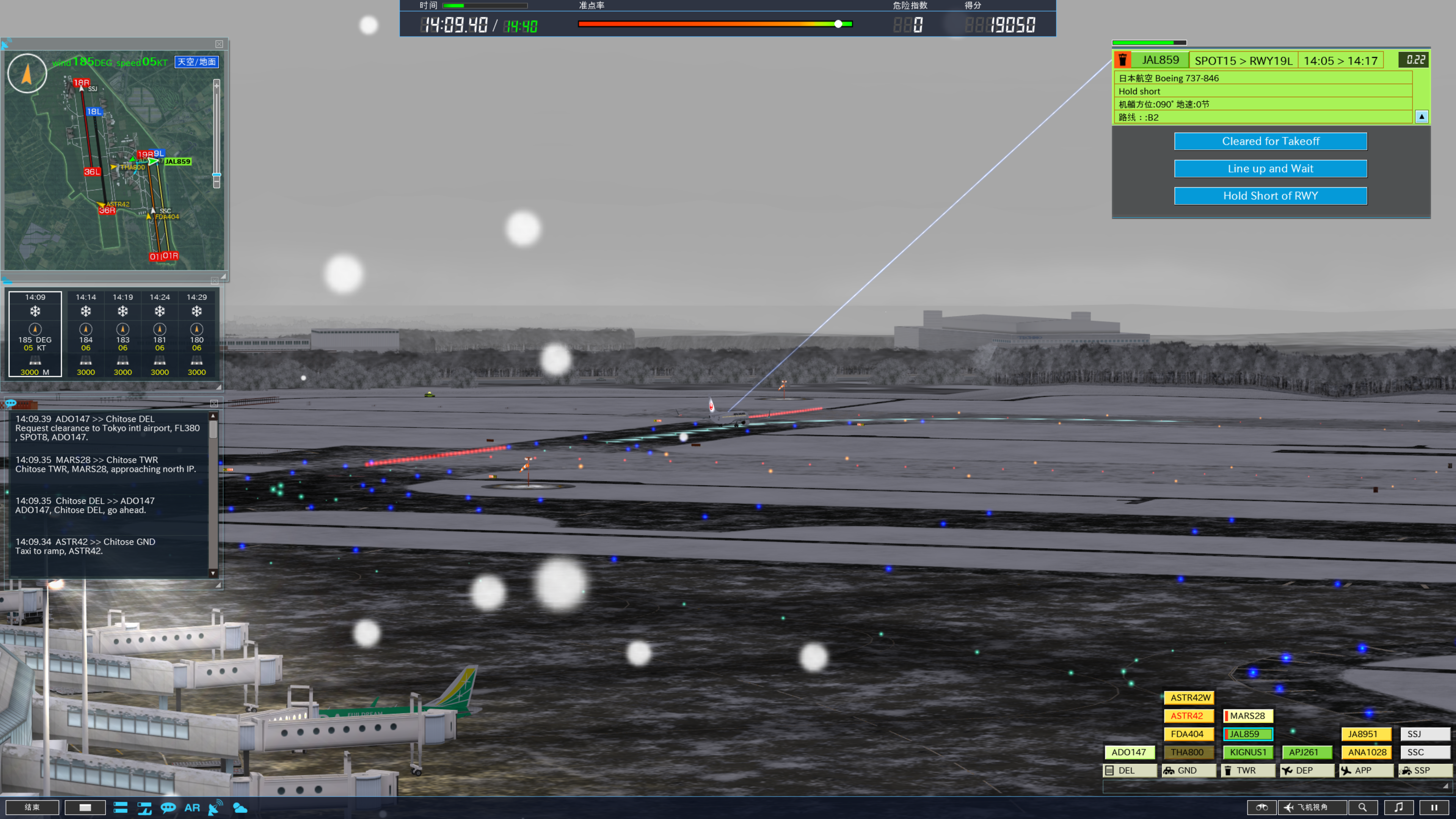
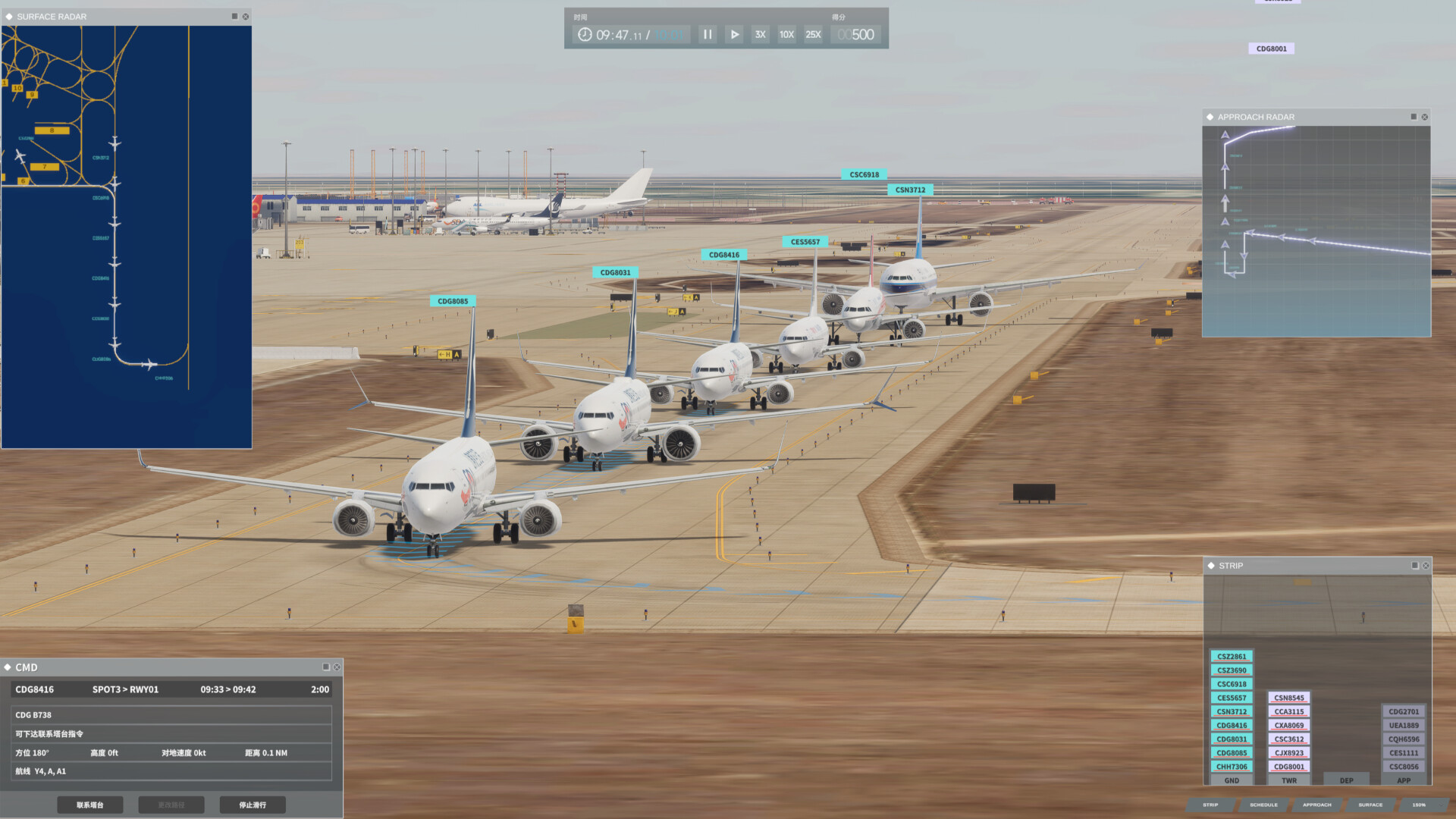
Secondly, unlike ATC4, the aircraft information cards and control buttons are separated, and the layout is stretched out very wide, forcing players to constantly scan back and forth between the information cards and the button options. Also, for some reason, the aircraft information cards make the less important details larger? Apart from the distance to the airport—which is relatively important—the estimated arrival time and the runway to be used are displayed in very small text; conversely, details like altitude, speed, and direction—which players generally don’t need to worry about much—are displayed in very large text, which I find baffling.In ATC4, the most critical information—the runway and estimated arrival time—is clearly enlarged and displayed in the top-right corner, while secondary details are arranged in smaller font below. The aircraft card and control options are also tightly integrated, so a quick glance at the top-right corner provides virtually all necessary information. The top-left corner similarly allows players to toggle between ground view and air radar using the spacebar, and wind direction is also displayed there, eliminating the need for players to constantly scan the screen from side to side.
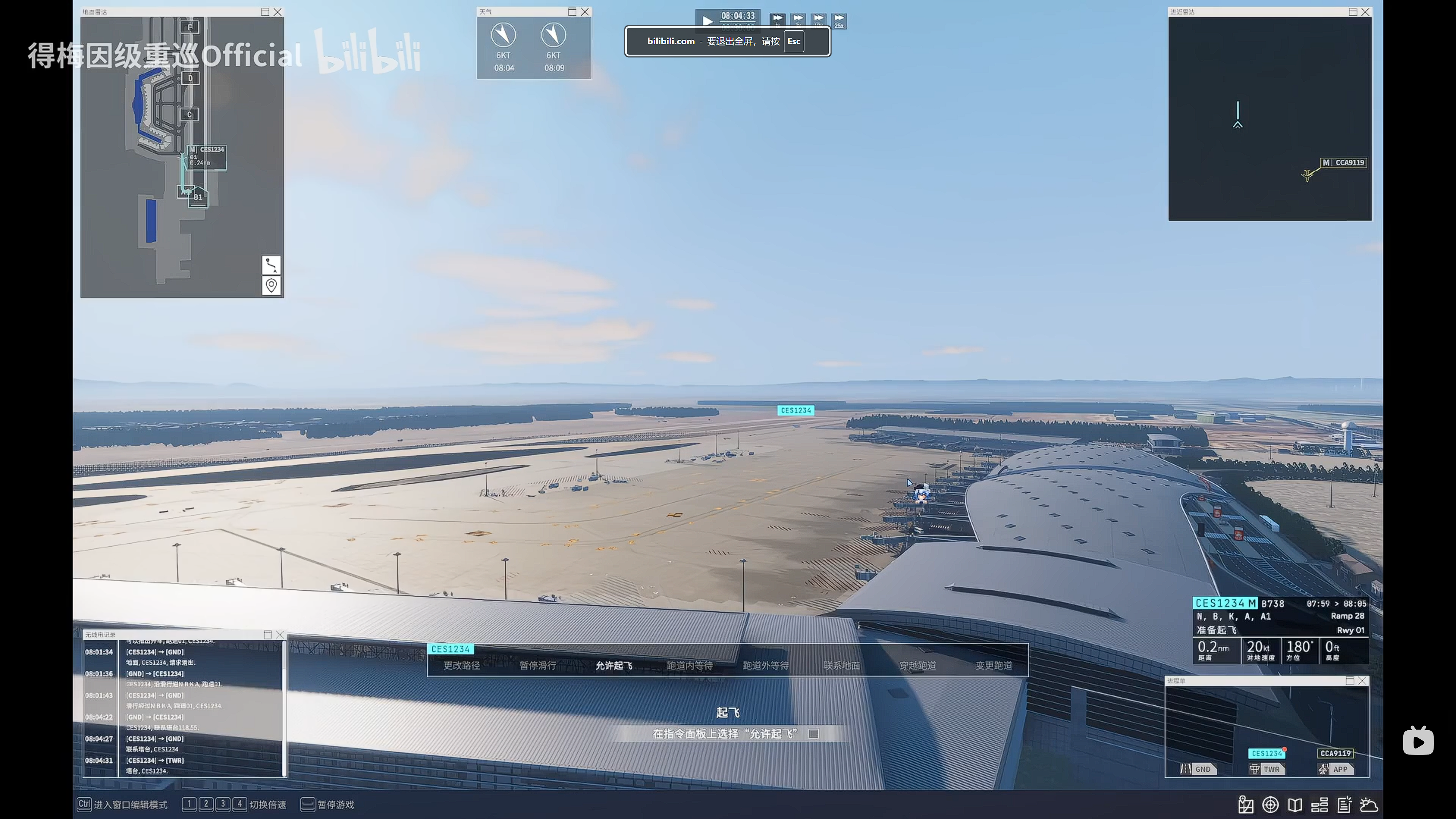
Image source:
[Airport Control 27] Is this UI design just a reflection of my own poor comprehension skills? I’m starting to question my own existence. https://www.bilibili.com/video/BV1n19PB2Er9/)
Additionally, there are two major issues with the aircraft control menu: not only is it poorly aligned with the aircraft, but it also displays many unnecessary or unusable options.For example, in the options shown in Image 2, the runway takeoff-related options are sandwiched between other options. However, since control has already been transferred from ground to tower at this point, ground operation options are still displayed— and the horizontal layout only exacerbates this issue. Similarly, during landing, the go-around and exit selection options are often displayed together. What if a player accidentally taps go-around while trying to select an exit? In ATC, the buttons only display the options you can select, so there’s no need to worry about accidental taps at all.
Another issue is that the airport overview map on the left automatically zooms in on the current aircraft’s location whenever you select a plane. I’m not sure if this behavior can be disabled, but this feature feels rather pointless—you have to manually zoom out every time after selecting an aircraft. I hope this can be adjusted in the settings. Additionally, the ATC radar lacks reference points and fails to provide sufficient information.
In summary, while I don’t think Air Traffic Control 27 has any major gameplay issues, it feels like the framework has only just been set up. Its gameplay (it lacks the intricate level design found in ATC4), art style (it’s too clean—almost blinding—and the airports lack vitality), optimization, UI interaction, and other aspects still need further refinement.